Step-by-Step Guide to Building a SaaS App with Next.js in 2026
Building a SaaS app with Next.js in 2026 involves planning core features, selecting a tech stack, designing an intuitive interface, and testing before launch.
Shaik Saif
Founder & Lead Frontend Architect

TL;DR
- Next.js is the absolute best framework for building a fast, SEO-optimized B2B SaaS MVP in 2026.
- Your architecture must handle authentication, database relationships, and fast UI rendering from day one.
- Server actions and Edge caching have replaced outdated React client-side data fetching patterns.
- Do not build complex features first; build the core transaction flow that your users are actually paying for.
- Partnering with an experienced development agency cuts your time-to-market in half.
Most founders building a SaaS MVP waste 60% of their early runway over-engineering their architecture or choosing outdated tech stacks that actively fight against SEO and performance. If you are launching a B2B SaaS application in 2026, the blueprint has changed. You don’t need a complex microservices cluster to validate your product—you need a unified, high-performance web framework. Next.js, combined with modern infrastructure like Vercel and Supabase, allows technical founders and MVP development agencies to build, launch, and scale production-ready applications in weeks, not months.
This guide breaks down the exact step-by-step architecture we use at ShaikSaif to ship high-converting SaaS applications that load instantly and rank on Google.
Understanding Next.js for SaaS Development
Next.js is a powerful framework for building SaaS applications, built on top of React. One of its key advantages is server-side rendering (SSR), which leads to inherently faster initial load times. This feature is crucial for user experience, as it minimizes waiting times and allows users to engage with your core app quickly. The framework simplifies complex navigation through its built-in App Router, making it easier to handle deep layout structures and nested dashboards.
Another significant feature is static site generation (SSG), which heavily enhances both performance and your marketing site's SEO. With Next.js, you can pre-render landing pages at build time, helping your app rank better in search engines and load faster for potential leads. Additionally, the framework supports API routes and Server Actions, enabling you to create secure backend endpoints directly within your Next.js application, streamlining your entire engineering process.
Next.js also excels in JavaScript management with automatic code splitting. This means users only download the specific code they need for the page they are on, drastically improving performance. Development is further enhanced by features like hot module replacement (HMR), which allows real-time updates without refreshing the browser—boosting productivity during the build phase. Furthermore, Next.js integrates seamlessly with ORMs like Prisma or Drizzle, ensuring that you can connect your complex relational databases without heavy boilerplate.
For media-rich applications, Next.js offers native image optimization, allowing your assets to load faster and look sharp across all devices. Lastly, hosting your Next.js app is incredibly straightforward with Vercel, the platform built explicitly for Next.js deployments.
Key Features of Next.js in 2026
Next.js in 2026 brings several key features that enhance the development experience and overall app performance. One of the standout improvements is the advanced edge caching techniques, which allow globally distributed data retrieval. This means users in London experience the same snappy response times as users in New York. Another significant enhancement is the seamless support for React Server Components (RSC), which dramatically reduces the amount of JavaScript sent to the client browser.
Built-in analytics (like Vercel Web Vitals) are now standard, enabling developers to monitor App performance and user engagement directly from the dashboard without bloated external tracking scripts. This integration simplifies identifying performance bottlenecks. Accessibility has also taken center stage, ensuring compliance and inclusivity for enterprise B2B buyers who require strict accessibility standards.
Internationalization (i18n) support has made it easier to tailor SaaS apps for global users. The developer tools have become significantly more powerful, providing much better debugging capabilities for hydration errors. Security features have also seen enhancements, helping to protect user data by ensuring sensitive database queries remain strictly on the server side via Server Actions.
Planning Your SaaS App Architecture
Start by defining the absolute core transaction your SaaS app will orchestrate. Understand your target users and identify their single biggest pain point. For example, if you're building a project management tool, features like task assignments and progress tracking are essential, but building a custom chat platform is a distraction. Next, choose a scalable architecture that can grow.
When selecting a tech stack, think about what natively complements Next.js. For instance, you should choose a scalable relational database like PostgreSQL (hosted on Supabase or Neon), paired with an ORM like Prisma for type-safe data fetching. Plan for secure and speedy data storage, keeping user privacy and SOC2 compliance regulations in mind from day one.
Incorporate user feedback loops into your design process. This means deeply analyzing user input to refine your interface. Leverage third-party services for functionalities such as Stripe for payment processing, Clerk for user authentication, and Resend for transactional emails. This saves you weeks of engineering time, allowing you to focus purely on your core IP. Finally, design your app with mobile-first principles using Tailwind CSS, ensuring your dashboards function perfectly on mobile devices.
Setting Up Your Development Environment
To kick things off, you first need to install Node.js (or preferably Bun/pnpm for speed in 2026). Once that's set up, a code editor like VSCode or Cursor will drastically enhance your coding experience, offering AI-assisted completions tailored for modern React development.
Next, configuring ESLint and Prettier is absolutely essential for maintaining consistent code formatting. These tools catch errors early and ensure your codebase remains clean—which is vital if you ever plan to hire additional engineers or transition the project to an agency.
Creating a local development server is straightforward: simply run `npx create-next-app@latest` to scaffold your project with the App Router and Tailwind CSS pre-configured. Don't forget about strictly managing environment variables. Use a `.env.local` file in your project root to secure sensitive data like database connection strings or Stripe secret keys.
If you're looking to make your app portable, verify your build process locally before pushing. For a better user interface, leverage a modern component library like shadcn/ui built on top of Tailwind CSS. It offers beautifully designed, accessible components that you own the code for, rather than relying on bloated external npm packages.
Implementing User Authentication
Choosing the right authentication method is a crucial first step. For modern SaaS MVP apps, Clerk, Supabase Auth, or NextAuth.js (Auth.js) are excellent choices because they offer pre-built UI components and robust security specifically optimized for Next.js App Router.
Password hashing is an essential practice if you handle auth manually, but leveraging a provider like Clerk removes the massive security liability of storing passwords in your own database. Setting up a user-friendly onboarding flow improves your conversion rate significantly. Aim for simplicity—allow users to sign up via Google or GitHub OAuth with a single click.
Proper session management is vital to maintain user state securely across your app. Implementing token-based authentication (JWTs) enhances the user experience. Additionally, incorporating magic links or email verification confirms user identities and reduces fraudulent account creations. Finally, keep an eye on authentication webhook events; syncing these events to your primary database ensures your user tables remain consistent with your auth provider.
Integrating Databases with Next.js
Choosing the right database type is critical for B2B SaaS. PostgreSQL is the undisputed gold standard for SaaS applications in 2026 because of its robust relational integrity. Once you’ve provisioned a Postgres database, set up a connection using an ORM tool such as Prisma or Drizzle ORM. These tools provide strict TypeScript types based on your schema, making querying incredibly safe and efficient inside Next.js Server Components.
Next.js App Router allows you to fetch data directly from your database on the server. Because Server Components never ship to the client browser, you can safely write direct database queries without exposing any secrets or building an intermediate REST API.
As your application evolves, you’ll need to manage schema changes. Implement Prisma migrations to keep your database perfectly in sync with your application’s requirements. Additionally, consider leveraging Next.js `unstable_cache` or standard `fetch` caching to store frequently accessed data, which can significantly enhance performance and reduce your database compute bill.
Scaling Your SaaS App Effectively
When building a SaaS app, you must design for scalability from the beginning. Leveraging edge computing and serverless infrastructure (like Vercel) helps manage sudden traffic spikes efficiently without hiring a dedicated DevOps engineer.
Implementing Edge caching spreads user requests evenly, which helps maintain snappy performance globally. Optimizing your heavy database queries—such as adding proper indexes to your Postgres tables—is essential for ensuring that your dashboards load instantly even as your user base grows.
If your marketing site is struggling with conversion, you may need a B2B website redesign that clearly communicates your value proposition before users ever hit your Next.js application.
Deploying Your SaaS App: Best Practices
Choosing a reliable hosting provider built specifically for Next.js is essential. Vercel is the creator of Next.js and remains the de-facto standard for deployment. Automating your deployment process directly from GitHub streamlines updates, ensuring that every push to the `main` branch automatically builds and deploys your newest features to production.
Before going live, thoroughly test your app in a Vercel Preview Deployment to catch potential responsive or hydration bugs. Security is handled implicitly; Vercel provisions SSL certificates automatically. Additionally, optimizing your app for SEO with the Next.js dynamic Metadata API is crucial to improve your organic visibility in search engines.
Frequently Asked Questions
Q: Is Next.js good for building a SaaS MVP?
A: Yes. Next.js is the industry standard for SaaS MVPs because its unified architecture allows you to build your marketing site, user dashboard, and backend API routes in a single, strictly-typed repository, drastically reducing engineering time.
Q: Should I use a No-Code tool instead of Next.js for my SaaS?
A: Only if you are building an extremely simple internal tool or testing a hypothesis with zero budget. If you are building a B2B SaaS that requires complex relational data, strict security compliance, or scaling beyond your first 100 users, custom code with Next.js is mandatory to avoid severe technical debt.
Q: Which database is best for a Next.js SaaS application?
A: PostgreSQL is the most reliable and scalable choice. Hosted solutions like Supabase or Neon integrate perfectly with Next.js via ORMs like Prisma or Drizzle, giving you a type-safe, highly relational data layer.
Q: How much does it cost to deploy a Next.js SaaS app?
A: For early-stage startups, deploying on Vercel is highly cost-effective (often starting on the free tier or the $20/mo Pro tier). Database hosting via Supabase or Neon generally begins with generous free tiers, keeping MVP infrastructure costs well under $50/month.
Q: Can I build a mobile app with Next.js?
A: Next.js builds highly responsive, mobile-first web applications using CSS frameworks like Tailwind. While it does not compile to native iOS/Android code (you would need React Native for that), a well-designed Next.js Progressive Web App (PWA) is often more than sufficient to validate your mobile SaaS experience.
Ready to build your Next.js MVP the right way without racking up crippling technical debt? Let's map out your MVP roadmap together ->
Written by
Shaik Saif
Founder & Lead Frontend Architect
Shaik Saif is a full-stack product engineer and founder with 8+ years of experience building high-converting SaaS marketing websites and scalable MVPs for founders across the US, UK, and Dubai. He has shipped 40+ products and written extensively on conversion-first development.
Keep Reading
Related Articles
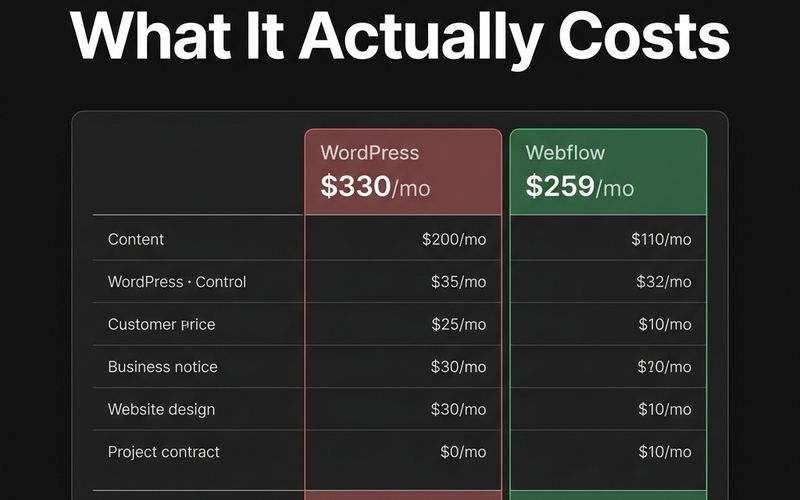
Cost of Moving from WordPress to Webflow in 2026
What does a WordPress to Webflow migration actually cost? A transparent breakdown by site size, complexity, and what drives pricing up or down.
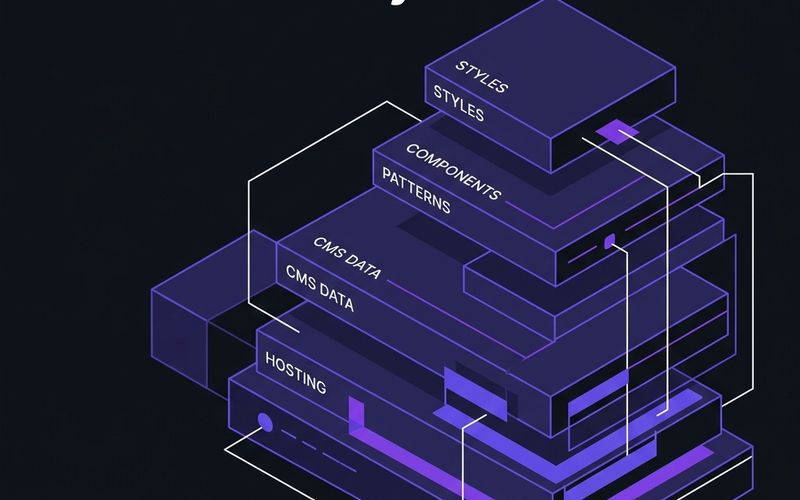
Webflow Enterprise: What You Get vs Standard Plans (2026)
Enterprise Webflow is more than a plan upgrade. Here's what enterprise-grade Webflow development actually involves — architecture, CMS governance, security, and team workflows.

The SaaS Website Design Framework That Converts at 8%+ in 2026
Most SaaS websites convert at 1-3%. Here's the exact page architecture and psychological triggers we use to build websites that convert at 8%+ this year.